

Your Profile
Your FreeMix profile is how others find and connect with you on FreeMix. If you signed in with an existing AT Protocol account (like a Bluesky account), FreeMix automatically imports your display name, avatar, and bio as defaults — you can customize everything for FreeMix independently. If you created a new FreeMix account, your profile starts fresh.
FreeMix-specific fields like artist label, genres, roles, and PRO affiliation have no equivalent on other AT Protocol platforms. These are unique to your FreeMix presence. We recommend filling these out to help other creators find you.
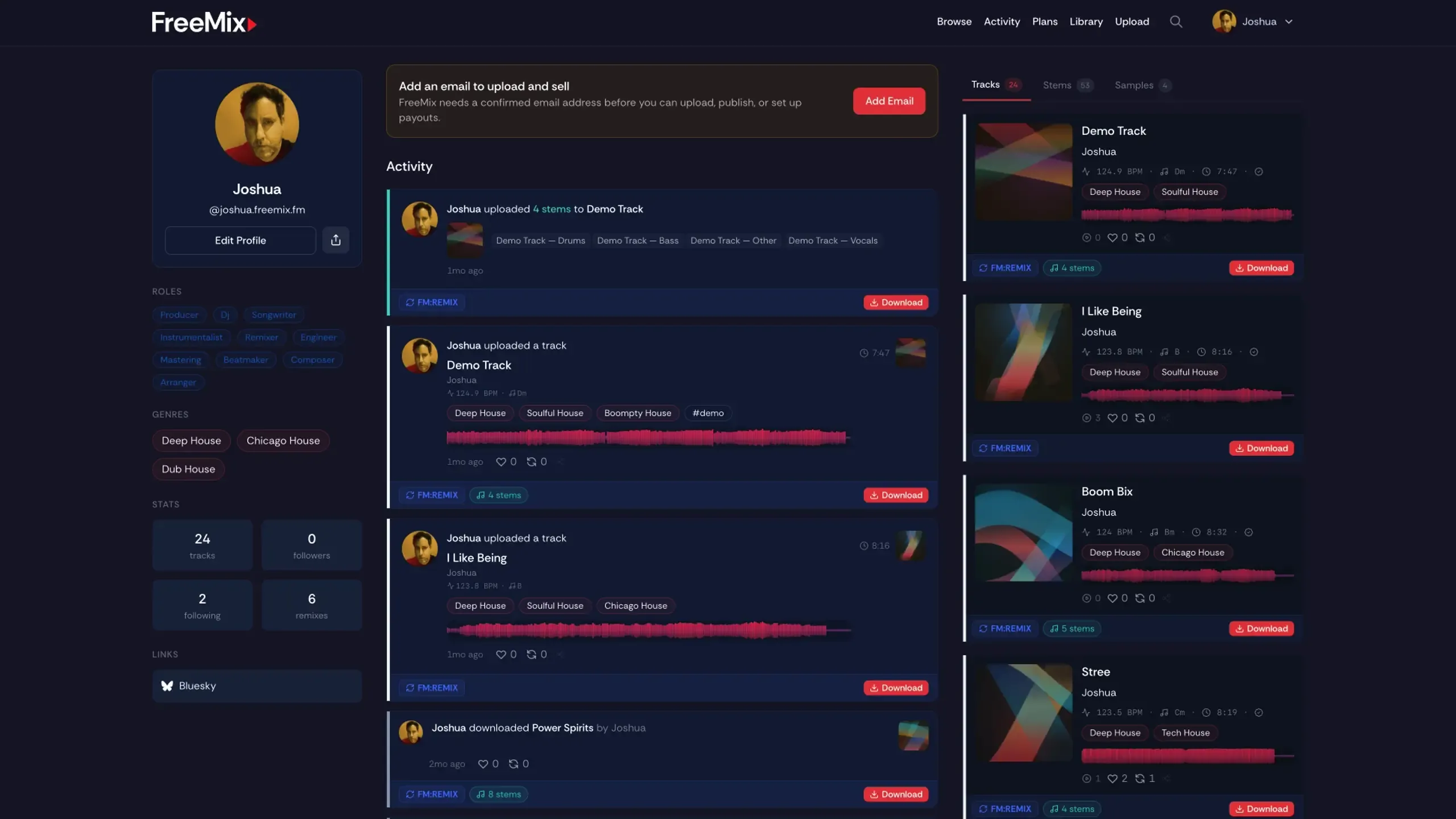
What’s on Your Profile
Section titled “What’s on Your Profile”- Display name — Your artist or project name
- Handle — Your AT Protocol handle (e.g.,
yourname.freemix.fmoryourname.bsky.social) - Avatar — Your profile image. You can upload an image or we’ll generate one for you
- Bio — A short description of who you are and what you do
- Record label — If you are affiliated with a record label, you can add it here
- Genres — Up to 5 genres that describe the music you make (shown as genre pills on your profile)
- Roles — What you do: Producer, DJ, Vocalist, Instrumentalist, etc.; you can add more than one
- PRO affiliation — If you’re registered with a performing rights organization (BMI, ASCAP, SESAC, PRS, etc.), you can display it
- Links — Add links to your website, social profiles, Bandcamp, SoundCloud, etc.
- Stats — Track count, followers, and following
Your Profile Also Shows
Section titled “Your Profile Also Shows”- Your uploads — All your tracks, stems, and samples
- Activity — Your recent uploads, likes, reposts, and follows
- Remix activity — Remixes of your music and remixes you’ve created
Ready to customize? See Editing Your Profile.